
- Where: Studio › Workflows
What it is
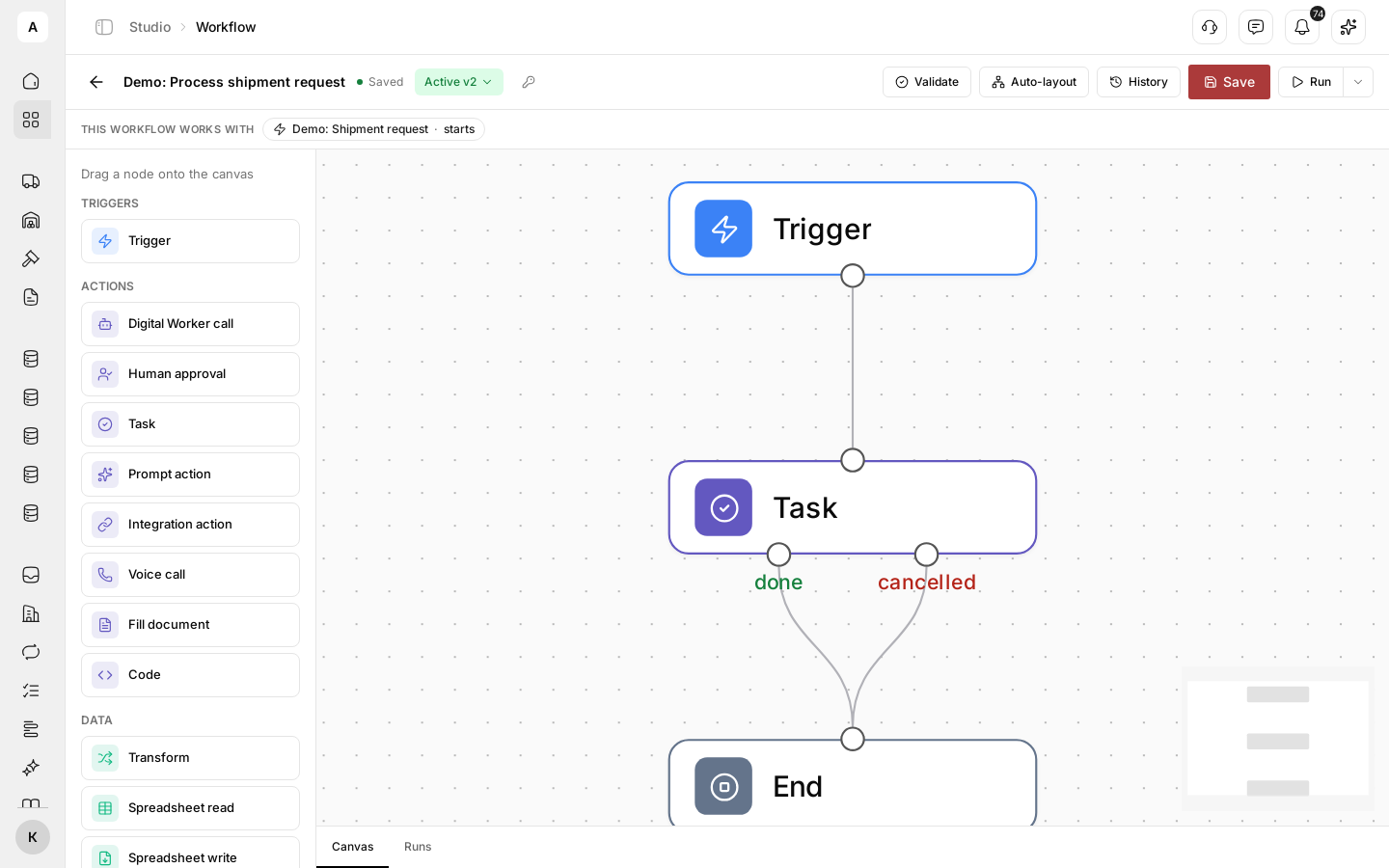
A request arrives, someone has to check it, someone has to call the carrier, and someone has to update the record. Between each step the work waits for a person to notice. A workflow connects the steps needed to complete a task, from the event that starts it to the record or decision it produces.
You define which step follows each event, what information the next step needs and when the process waits for a person. Each step passes its records and results forward, so the next action starts with the context it needs.
What you can do
| Goal | What you get |
|---|---|
| Start work without a person | A workflow that runs on a new record, a form submission, an event in a product, a schedule or a request from your system |
| Hand a step to the right hands | Tasks for your team, calls and checks by a Digital Worker, actions in a connected system |
| Keep a person in control | Approval steps where the process waits for a decision |
| Change safely | A test run before publishing, versions and a rollback to an earlier one |
| See what happened | Every run with its status and the result of each step |
| Keep going when one step fails | A switch that lets the process move on, with the error saved in the step |
How it fits together
- Trigger: the event, button, schedule or outside request that starts the process
- Steps: tasks, Digital Worker calls, integration actions, conditions, waits and loops
- Data: each step reads the record that started the run and the results of the steps before it
- Routines: every workflow that runs on a schedule, in one list with its next and last run