
- Who can: any member of your company sees, changes and deletes all its tasks. Giving a task to a Digital Worker needs the “Assign Digital Workers” permission.
- Where: Tasks in the left menu
What it is
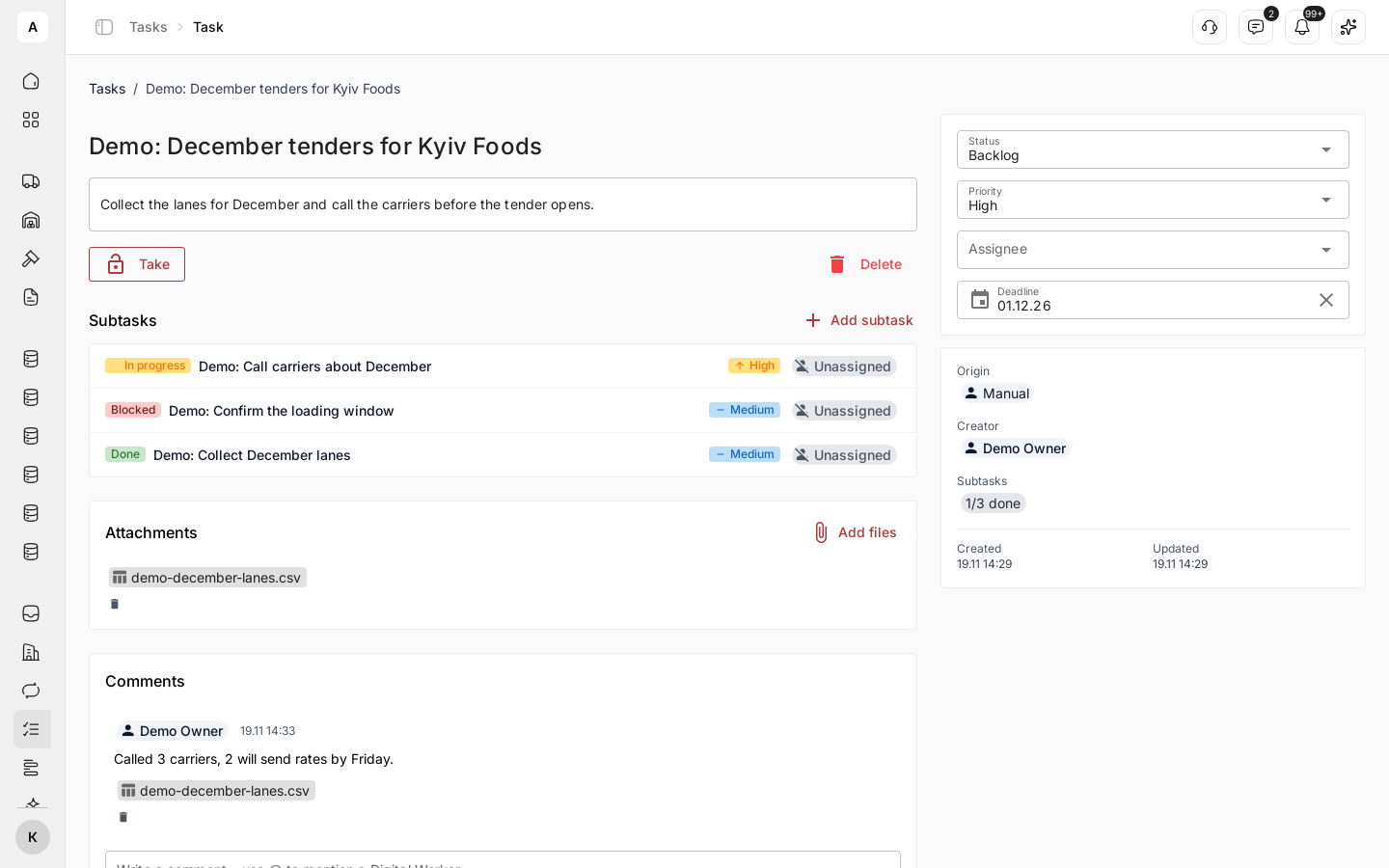
Work gets lost between a chat, an email and somebody’s memory. A task keeps one piece of work in one place, with the facts attached: the request, the records and the documents tied to it. Nobody rebuilds the story from email.
Your team and your Digital Workers share the same list. Every task shows who holds it and what happens next, whether that is a person or a Digital Worker.
What you can do
| Goal | What you get |
|---|---|
| Hand work over without losing it | A task with an owner, a deadline, a priority and its files |
| Break a big job down | Subtasks, each with its own owner and deadline, and a count of how many are done |
| Give routine work to AI | A Digital Worker that takes the task, does it and answers in a comment |
| Know who is on it right now | Take, which shows the person or the worker holding the task |
| Keep the discussion with the work | Comments and files on the task, so whoever picks it up next knows what to do |
| Find anything | Search and filters by status, priority, origin and assignee |
| Let a process create the work | Tasks from workflows, which wait until the task is done or cancelled |
How it fits together
- Status: where the work is, from “Backlog” to “Done”. See Move a task through its statuses
- Assignee: one person or one Digital Worker. See Give a task to a Digital Worker
- Comments and files: the discussion and the documents. See Comment and attach files
- Origin: who created the task
Where tasks come from
The “Origin” of a task shows who created it:
| “Origin” | Who created the task |
|---|---|
| “Manual” | A person, in Tasks or through a connected AI assistant |
| “Digital Worker” | A Digital Worker while it worked |
| “Workflow” | A “Task” step of a workflow |
| “Architect” | The AI assistant that builds your setup in Studio |
Limits
- A task has one assignee.
- Files: images, PDF, Word (.docx), Excel (.xlsx), CSV, text and Markdown, up to 25 MB each and 20 at a time.